

You’re probably used to opening the Apple Wallet app on your iPhone to view train tickets, loyalty cards, boarding passes, and debit cards. But some iPhone owners can now store a digital version of their passport in the same app.
Apple launched its Digital ID feature, first announced during its annual developers conference in June, last month in the United States, letting you import the details from your US passport. The system is already supported across more than 250 airports in North America, where all you’ll need if a quick flash of your iPhone or Apple Watch display.
Want to secure everything you do online with military-grade encryption? Subscribe to ExpressVPN for £1.99 per month
Protect your personal information and encrypt everything you do online for just £1.99 with the latest ExpressVPN deal. This blockbuster sale trounces NordVPN, its biggest competitor.
ExpressVPN adds military-grade encryption across up to 10x devices, including iPhone, Android, Linux, Windows, Mac, Fire TV, and dozens more, to secure your internet traffic from prying eyes, advertisers, and governments. You’ll benefit from an extra 4 months free with a two-year plan
ExpressVPN Basic
Jennifer Bailey, Apple Vice President of Apple Pay and Apple Wallet, said: “With the launch of Digital ID, we’re excited to expand the ways users can store and present their identity — all with the security and privacy built into iPhone and Apple Watch.
“Since introducing the ability to add a driver’s license or state ID to Apple Wallet in 2022, we’ve seen how much users love having their ID right on their devices. Digital IDs brings this secure and convenient option to even more users across the country, as they can now add an ID to Wallet using information from their US passport.”
One of the biggest advantages of importing your US passport into Apple Wallet is that it meets the REAL ID standards, which is a security standard that requires specific types of identification for domestic flights – and not all state-issued driver’s licences qualify.
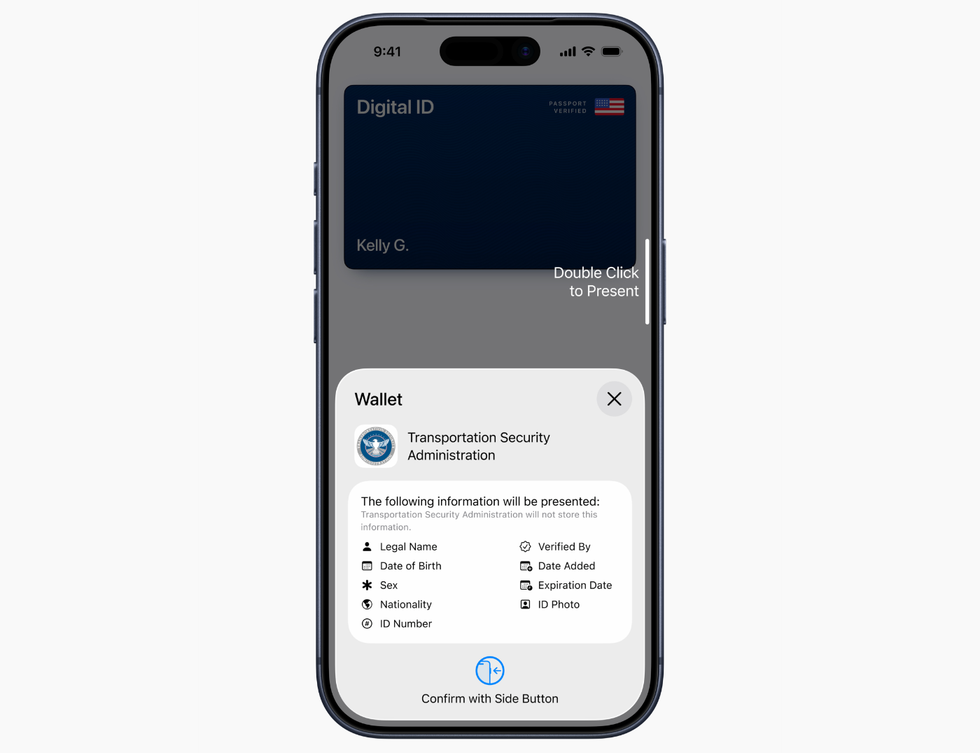
The Transportation Security Administration (TSA) will let you use the Digital ID in Apple Wallet to verify some crucial information, including your name, date of birth, and nationality
|
APPLE PRESS OFFICE
If you show up at airport security without something that meets REAL ID requirements, you could face extra screening or even be turned away. The digital passport solves this problem by giving everyone with a US passport a compliant form of identification, regardless of whether their state licence meets the standard.
To set up a Digital ID in Apple Wallet, tap the Add (+) button at the top of the screen in Wallet on their iPhone and then selecting Driver’s License or ID Cards.
First up, you’ll need to scan the photo page of your physical passport. You’ll also be asked to press the iPhone against the passport to read the chip embedded inside the cover to verify the authenticity.
From there, you’ll be asked to take a selfie for verification, and as another security step, you’ll be prompted to complete a series of facial and head movements during the setup process. After that, Digital ID is available in your Wallet app across iPhone and a paired Apple Watch.
All your passport information is encrypted and stays on your device – Apple can’t see when or where you’ve used it.
To present your Digital ID at checkpoints, just double-click the Side Button (the same one used to summon Siri with a long-press), hold the device close to a reader, and authenticate with Face ID or Touch ID scan.
However, there are some important restrictions you’ll need to know about before ditching your physical passport.
You won’t be able to use the passport stored in Apple Wallet for any international flights. You’ll still need to bring your actual passport when flying abroad or crossing any borders. This means trips to the UK, Canada, or anywhere else on the planet will still require the physical document.
Apple makes clear that the Digital ID isn’t meant to replace your traditional passport entirely, it’s simply an additional way to prove your identity on domestic trips. The feature only supports US passports at launch, so travellers from other countries won’t be able to access this feature within Apple Wallet.
The UK Government has already announced plans to introduce a digital driving licence later this year. Under current plans, this document will be accessible in the GOV.UK app on iPhone and Android. It won’t be added to Apple Wallet.
Whether Downing Street changes its mind and decides to add its digital drivers licence to Apple Wallet in the future, or moves to adopt the new digital passport with the launch of iOS 26, remains to be seen.
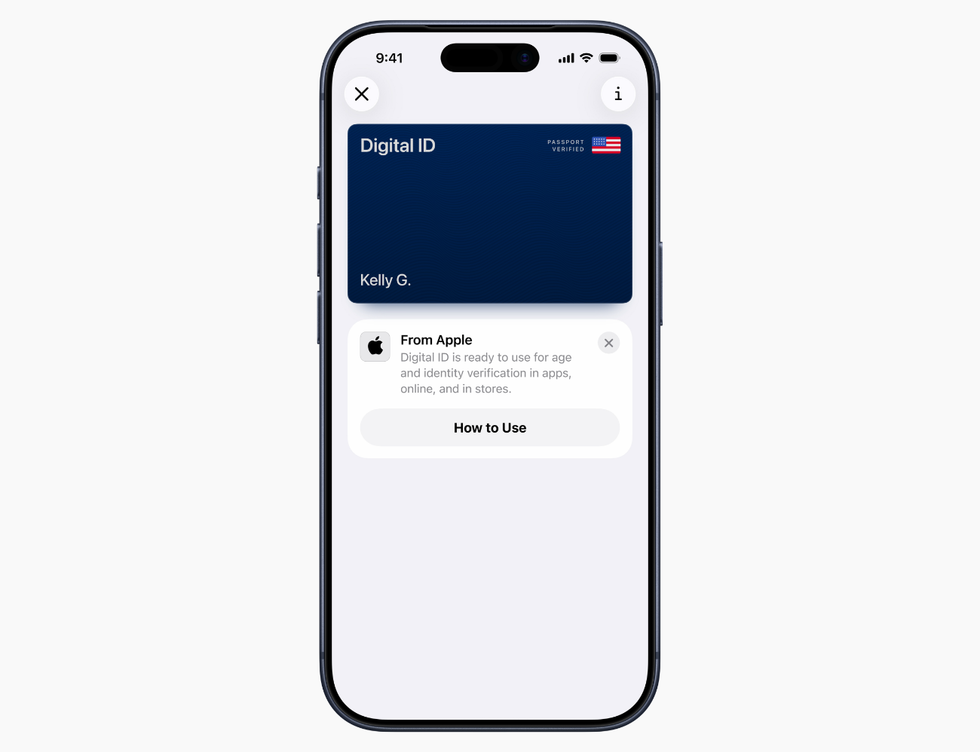
Once added to Apple Wallet, you’ll be able to use your Digital ID across iPhone and Apple Watch
|
APPLE PRESS OFFICE
For those within the Apple ecosystem, the introduction of Digital ID could have benefits beyond just speeding up the queues at the airport.
The Californian company says you’ll eventually be able to use your digital passport to verify your age and identity at shops, restaurants, and other businesses – both in person and online.
This means you could potentially flash your iPhone to prove you’re old enough to buy alcohol or enter age-restricted venues, rather than pulling out your physical documents. The passport feature builds on Apple’s existing programme that lets people store their driver’s licences in Wallet, which currently works in 12 American states plus Puerto Rico.
Montana, North Dakota, and West Virginia joined the driver’s licence scheme in recent months, showing how the system is gradually spreading across the country. Apple even launched the technology internationally for the first time in Japan with its My Number Card system.
The tech giant hasn’t given specific timescales for when these expanded uses will roll out, but it’s clear the airport checkpoint feature is just the starting point for its digital identification ambitions.
Discover more from PressNewsAgency
Subscribe to get the latest posts sent to your email.